Previous
Next
Cnc router machine
Woodworking CNC Router: The Ultimate Guide to Digital Wood Crafting
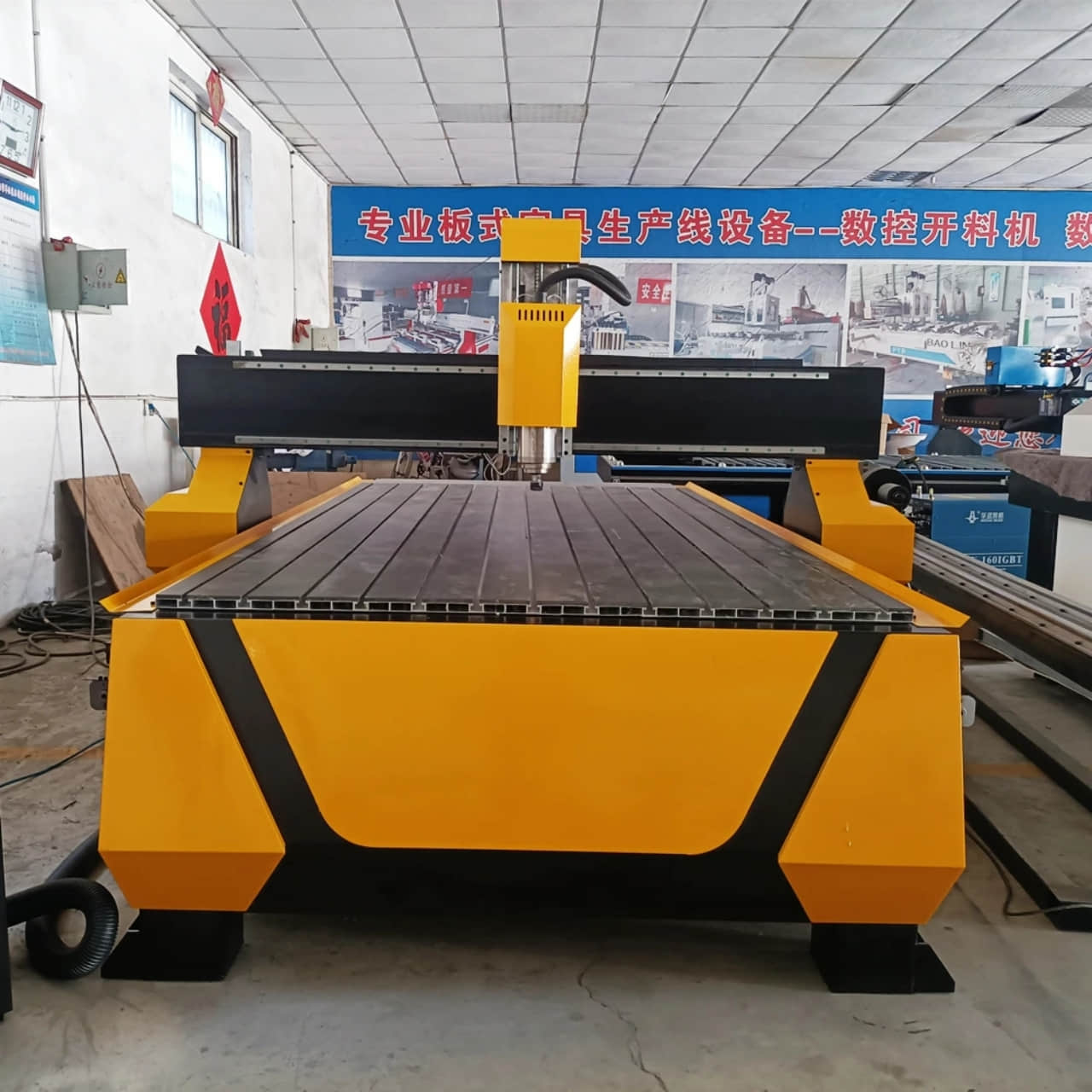
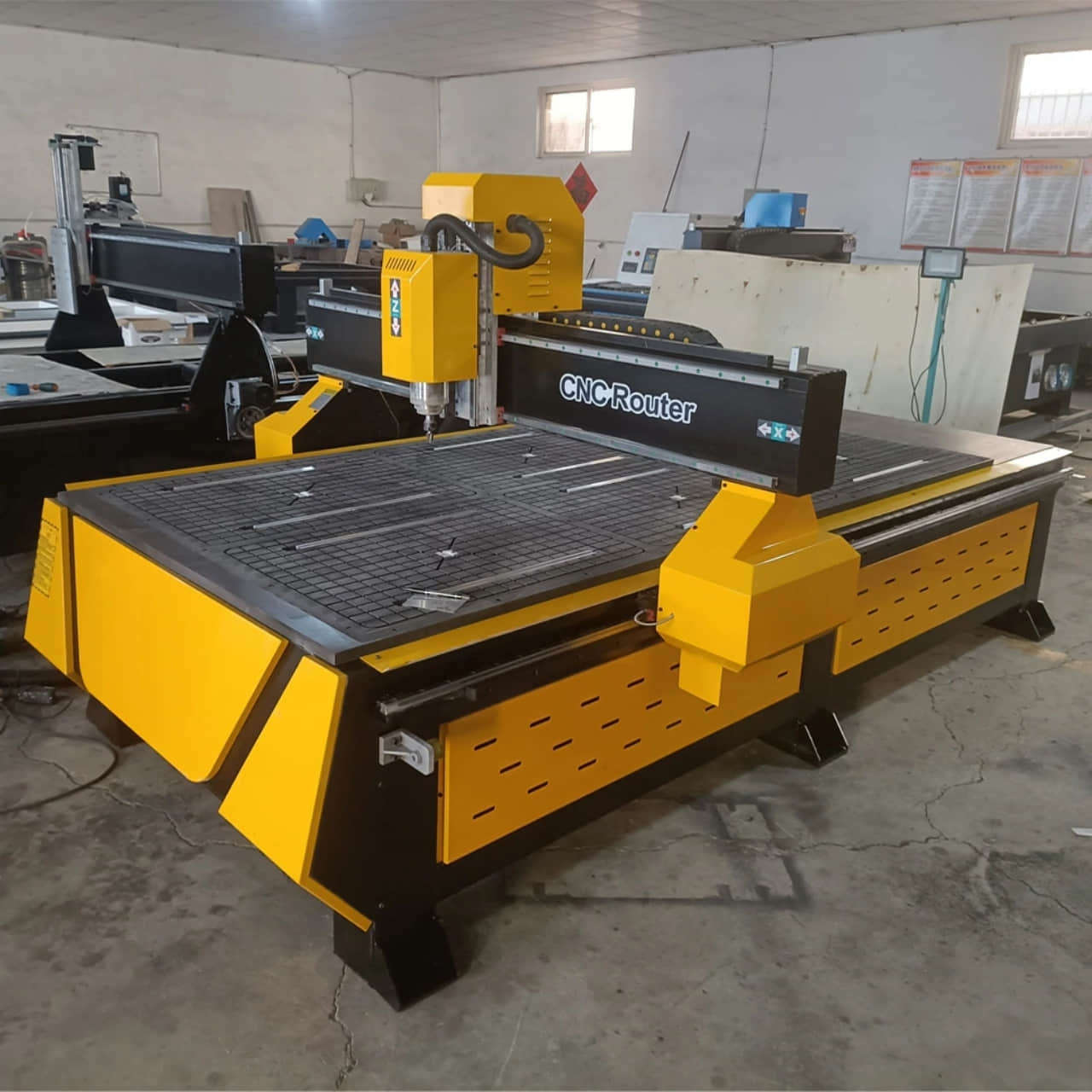
A Woodworking CNC Router is a computer-controlled cutting machine that automates the carving, cutting, and shaping of wood and other materials. It brings unparalleled precision, repeatability, and complexity to woodworking projects, transforming digital designs into tangible pieces with incredible detail.
Key Features & Specifications
Robust Frame Construction: Built with heavy-duty steel or reinforced aluminum to ensure stability and minimize vibration during high-speed operation, guaranteeing precise cuts.
High-Performance Spindle: Powerful AC or water-cooled spindles (e.g., 1.5kW to 4.5kW) provide consistent torque for smooth cutting and carving in various materials.
Precision Motion System: Utilizes high-accuracy ball screws or rack-and-pinion drives coupled with stepper or servo motors for sharp detail and flawless repeatability.
User-Friendly CNC Software: Compatible with industry-standard CAD/CAM software (like VCarve, AutoCAD, or ArtCAM) for easy design creation and toolpath generation.
Advanced Vacuum Table: Integrated T-slot or vacuum bed with a powerful pump to securely hold workpieces in place without manual clamps, enabling efficient processing of full sheets.
Automatic Tool Changer (Optional): Allows the machine to automatically switch between multiple tools (drills, bits, knives) for complex, multi-step projects without manual intervention.
Dust Collection : A dedicated port for connecting a dust extraction system to keep the work area clean, protect the machine mechanics, and improve visibility.
Advantages of Using a Woodworking CNC Router
Unmatched Precision & Complexity: Execute intricate designs, sharp joinery, and detailed 3D carvings that are impossible or time-consuming to achieve by hand.
High Efficiency & Mass Production: Drastically reduce production time. Perfectly replicate dozens or hundreds of identical parts with zero variation.
Material Optimization: Nesting software automatically arranges parts on a sheet of material to minimize waste and maximize yield, saving on material costs.
Reduced Labor Intensity: Automates the most demanding and repetitive cutting tasks, freeing up skilled labor for finishing and assembly.
Versatility in Application: A single machine can perform a vast range of tasks—from simple cutting to complex 3D relief carving—making it incredibly versatile for any shop.
Applications & Compatible Materials
CNC routers are the cornerstone of modern woodworking, catering to both hobbyists and industrial manufacturers.
Use Cases:
Furniture Making: Creating intricate chair legs, table tops, cabinet doors, and decorative inlays.
Signage & Lettering: Crafting 2D and 3D signs from wood, MDF, and acrylic for business and home.
Custom Cabinetry: Precisely cutting parts for kitchen cabinets, dovetail drawers, and custom shelving units.
Art & Decoration: Producing complex 3D wall art, decorative panels, and sculptural pieces.
Musical Instruments: Precisely machining guitar bodies, violin fronts, and other instrument components.
Woodworking Joinery: Cutting perfect dovetails, box joints, and mortise-and-tenon joints.
Compatible Materials:
Solid Wood: Hardwoods (oak, maple, walnut) and softwoods (pine, cedar).
Sheet Goods: Plywood, MDF (Medium-Density Fiberboard), Particleboard, OSB.
Plastics: Acrylic (Plexiglas), PVC, Polycarbonate.
Composites: Laminate, Aluminum Composite Panel (Dibond).
Non-Ferrous Metals: (With specific bits) Soft aluminum and brass.
(FAQ)
Q1: What software do I need to operate a CNC router?
A: You typically need two types of software: CAD software (like AutoCAD or Fusion 360) for designing the part, and CAM software (like VCarve Pro or Fusion 360's CAM module) to convert the design into toolpaths (G-code) that the machine can understand.
Q2: Do I need an Automatic Tool Changer (ATC)?
A: An ATC is a significant productivity booster for complex jobs requiring multiple drill bits and carving tools. For hobbyists or shops that do batch processing of single-tool operations, a manual tool change machine is a more cost-effective starting point.
Q3: How difficult is it to learn CNC operation?
A: There is a learning curve, but modern software and online resources have made it more accessible than ever. Basic cutting operations can be learned relatively quickly, while mastering 3D design and advanced toolpaths takes more time and practice.
Q4: What is the difference between a CNC router and a laser engraver?
A: A CNC router is a mechanical process that uses a spinning bit to physically cut away material. A laser is a thermal process that uses a beam to burn, melt, or vaporize material. Routers are better for heavy cutting and 3D shaping, while lasers excel at surface marking and intricate, fine-detail cutting of thinner materials.
Q5: How do I maintain my CNC router?
A: Regular maintenance is crucial:
Daily: Clean the machine and vacuum table; check for loose debris.
Weekly: Lubricate all rails and ball screws; inspect brushes on the spindle.
Monthly: Check belt tensions and ball screw backlash; clean and calibrate the spindle collet.
Request Your Custom Quote Today!
Contact our engineering team to discuss your specific welding requirements and receive a personalized solution proposal.
Contact:Lauren Tian
Phone: +86 17353670264
Email: [email protected]
Website: www.cn-statcnc.com